Blog

Simple Kinect Touch

Simple Kinect Touch


Hi all! We are glad to announce the beta release of Simple Kinect Touch (aka SKT) from Ludique Labs.

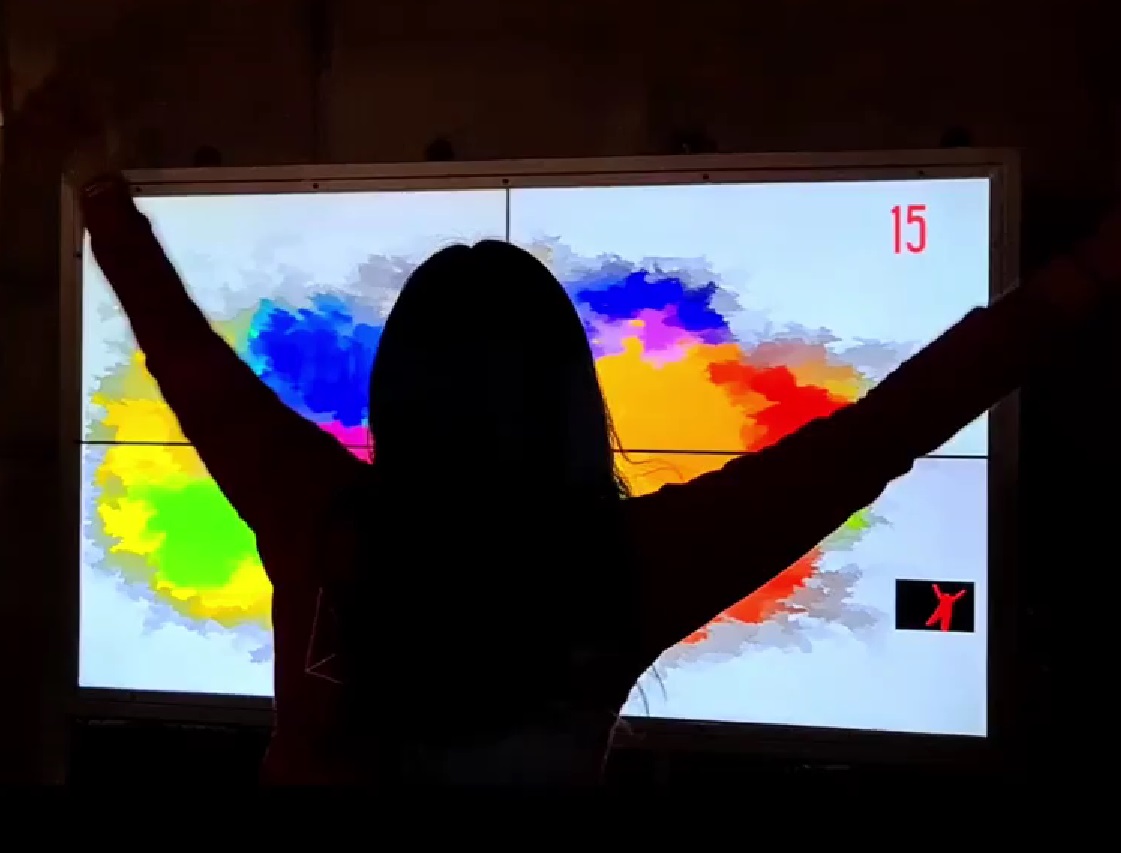
SKT is a software written in c++ to create tangible surfaces with the Kinect Camera.

The blobs created sends automatically data via TUIO to anywhere.

You can download the project from http://code.google.com/p/simple-kinect-touch/


Grupos de Google
Suscribe to mailing list
Email:
Consultar este grupo


Hope to get comments from you all :)

28

Discussion

  1. Fakher  junio 7, 2011

    Hi,

    That’s realy a great job, looks for windows version :)

    (reply)
    • ignacio  julio 4, 2011

      windows version is already there, check out our google code page project.

      (reply)
  2. Arthur  junio 28, 2011

    hey… I want to know if you guys can make a tutorial talking about how can i use the Multi-Touch using the kinect in Windows 7 64-bits, thanks!! Make more hacks !!! =D

    (reply)
    • ignacio  julio 5, 2011

      Arthur, maybe you can use a tuio mousedriver for windows seven… check here: http://multitouchvista.codeplex.com/

      hope you can use at these way :)

      (reply)
      • Arthur  julio 7, 2011

        OK, I’ll check, thx, and good job!!

        (reply)
      • Arthur  julio 8, 2011

        hey, sorry disturb u again but, I saw the site and I’m completly lost, may u check the site and find the driver? I’m not a computer expert, thx! =)

        (reply)
        • Ignacio  julio 8, 2011

          hey, im not under w7 right now, but follow this…

          join to http://multitouchvista.codeplex.com/releases/view/28979

          click the “MultiTouchVista – second release – refresh 2.zip” link

          download the file, maybe install…

          the just open the aplication and enjoy skt…

          if these doesnt work, pls told us here so we can search other solution for you…

          bye :)

          (reply)
          • Arthur  julio 8, 2011

            hey, i downloaded but there a lot of files in the ziped file, I don’t know what to do, mywindows is not multitouch, may i configurate it? thx!

    • Percy Stanbury  octubre 31, 2011

      Sres Ludique / Mr Ignacio:
      Primero, felicitarlos por su trabajo(aunque no necesiten aun mas aplausos de los que la comunidad “Touch” y “kinect” les ha dado!…son toneladas!…y siguen aun muchas mas congratulaciones!).
      Segundo por su opcion Bilingue, al interactuar en este foro con personas de habla inglesa y habla hispana, como yo…esa es una gran ventaja!…
      Me permito agradecer su atencion, a la vez de pedirles la amabilidad de dar los pasos para instalar el SIMPLE KINECT TOUCH en Windows 64 bit.
      He descargado el SKT binario, pero que debo instalar antes y donde lo puedo encontrar?
      Se que pide OPEN NI drivers (tuvieran el link, porque hay muchas opciones en la pagina de descargas de OpenNI y no se sabria cual de todas descargar), pero tambien hay algo que instalar como Avin 2 ?

      Agradezco su atencion, asi como muchos estaran agradecidos por su explicacion y atencion.

      Su Servidor.

      Atte.

      Prof. Percy Stanbury

      (reply)
      • Nico  noviembre 2, 2011

        Estimado Percy, gracias por su comentario!.

        Sobre la instalación de SKT para win 64 bit le cuento que la forma más simple es utilizando openni de 32 bit y el driver avin2 de 32 bit. Debe instalar openni primero para continuar instalando el drivers avin2. Los link correspondientes son:

        Openni: http://www.openni.org/Downloads/OpenNIModules.aspx
        Seleccione : OpenNi binaries – Unstable – Openni Unstable Buils for Windows x86 (32-bit) … development edition
        avin2 : https://github.com/avin2/SensorKinect
        El instalador para windows se encuentra en la carpeta bin (recuerde instalar la version de 32 bit)

        Una vez que ambos estén instalados puede probar si funcionan con el ejemplo NiViewer que viene incluido con OpenNi.
        Para que todo esto funcione bien no puede tener instalado el sdk de microsoft para kinect.
        Saludos y suerte!
        Nicolás.

        (reply)
  3. arturi  julio 4, 2011

    han hecho algo con flash?? ya checaron el proyecto flkinect??

    ustedes creen poder desarrollar una plantilla de flash ke se comunicara con kinect para interactuar??
    si creen poder por favor escribanme igual y pudieras llegar a algun arreglo

    (reply)
    • ignacio  julio 4, 2011

      hola! SKT trabaja enviando los valores vía TUIO. Nada más necesitas bajarte la implementación de tuio para as3 y listo!
      Por lo demás, también podemos desarrollar una plantilla a medida si la necesitas. Escribeme a iaguirre@ludique.cl y conversamos :)

      (reply)
  4. Arthur  julio 14, 2011

    hey, i downloaded but there a lot of files in the ziped file, I don’t know what to do, mywindows is not multitouch, may i configurate it? thx!

    (reply)
  5. Damon  julio 20, 2011

    Hi, I tried running your executable download in windows 7, and it looks like it runs, but a window pops up that says,

    Debug Error!
    R6010
    - abort() has been called

    and then the program crashes completely. I then attempted to compile the source code using visual c++ 2010 express, and made it through a pile of missing libs before getting a linker error: “unable to find atlsd.dll”. It turns out ATL does not ship with the “express” versions of visual studio, and I have no way of getting it, either. Is there anything at all that I can do?

    (reply)
    • nzrock  julio 29, 2011

      Hi, run skt in cmd prompt so we can get more info on the error. Also try to remove the atl lib from dependencies and check what goes wrong there. Please keep us posted, good luck! Also check the google group for other common problems.

      (reply)
      • ignacio  septiembre 28, 2011

        .

        (reply)
  6. Ignacio  julio 20, 2011

    Hey guys! Please join our mailing list @ http://www.ludique.cl/labs/simple-kinect-touch/ for comments & questions about SKT :)

    (reply)
  7. Navid  julio 27, 2011

    Hi

    i followed the instructions in the readme file of the SKT 1.4 for windows and i istalled opnni and all the drivers from avin2…but i don’t know what to do next…can you plz help me? what program should i run?

    (reply)
    • nzrock  julio 29, 2011

      Hi, you should run skt.exe from the binaries folder of the latest version (if you are in windows). As a recomendation first try the NiViewer sample from openni, if that works you should be good to go for skt. If it doesn’t check the google group for some common problem solutions. Good luck!

      (reply)
  8. punkrockseb  octubre 8, 2011

    i guess the software is very nice. just the lacking documentation keeps me from trying.
    the readme is a bit confusing. mixed install instruction for linux and windows.

    (reply)
  9. Alpay Kasal  noviembre 7, 2011

    Wow, I can’t wait to start playing with it… Thanks for your work, looks awesome! One question… I’d like to point the kinect straight down, ie. exactly perpendicular (I’ll account for the Kinect’s natural angle) as i plan to hit a reflective surface, the IR is sure to bounce off of my surface otherwise… Can your software work this way? judging by the videos, it appears you point the kinect at the surface to be used. thank you!

    (reply)
    • Nico  diciembre 17, 2011

      Hi Alpay, right now you can something like that. Point the Kinect at the surface with an angle (from the top for example), then paste a sheet of paper in the surface and calibrate zone over the sheet. After that remove the sheet and enlarge the mask. You should then be able to use blobs on the surface. Just make sure the kinect gets IR info for your hands close to the surface and the sheet in the calibration part.
      We plan on doing a version with the kinect completely perpendicular and some other improvements soon.
      Good luck and have fun!

      (reply)
  10. Percy Stanbury  noviembre 22, 2011

    Sr Ignacio Aguirre:

    Agradezco su atención.
    estoy gratamente impresionado de su talento al desarrollar SKT, el cual es un gran avance para todos los que deseamos hacer tactil, una superficie simple.

    Deseo agradecerle de antemano si conoce algún video donde puedan explicar detalladamente, a manera de tutorial, el como calibrar SKT sobre una proyección(en la pared por ejemplo).

    Habría algún problema si se usa SKT y el Kinect mirando a un vidrio o acrílico?(con proyección trasera y el KINECT ADELANTE), como una pizarra, pues soy profesor.

    Algo parecido a esto: Pero con el Kinect mirando la pizarra desde adelante.
    http://www.youtube.com/watch?v=PWSrW8x3PBY

    o tal vez han desarrollado la forma de hacer uso de SKT con proyección trasera y el kinect tambien detrás?

    Agradezco su atención y paciencia a mis inquietudes, disculpandome por las molestias, y agradeciendole de antemano por su grata respuesta.

    Atte.

    Su Servidor.

    Prof.Percy Stanbury

    (reply)
    • Nico  noviembre 24, 2011

      Estimado Prof. Percy,

      Hemos probado utilizar la cámara kinect desde adelante con la imágen retroproyectada. La detección de distacia no da problemas si el film retroproyector es opaco (cualquiera que no sea transparente) por lo que el programa no tiene problemas si se utiliza con la camara desde adelante y la proyección desde atrás (desde luego que no se debe cubrir la visión de la cámara durante la interacción). Si quiere ocupar la cámara desde atrás se puede, pero debe considerar lo siguiente: el film retroproyector debe ser transparente (para que crucen los rayos infrarojos) y la calibración puede ser complicada: quizas deba poner un material opaco plano sobre la pantalla durante la selección de zona. En la versión que estamos terminando vamos a incluir una opción para mover el plano calibrado hacia adelante o atrás lo cual puede ayudar bastante si desea utilizar la cámara desde atrás.
      Grabaremos un video instructivo para la próxima versión de skt. Mientras le recomiendo leer la siguiente página: http://code.google.com/p/simple-kinect-touch/wiki/TipsforSKT . En ella se presentan algunos de los puntos “clave” a tener en cuenta durante la calibración. Espero le sea útil.

      Saludos

      Nicolás Z.

      (reply)
      • Percy Stanbury  noviembre 27, 2011

        Sr Nicolas:
        Eso es fantástico, pues de retroproyectarse y poder colocar el kinect detrás, ya no se necesitarían los elementos tradicionales (Lasers) para realizar por ejemplo, una pizarra como la que mostré.
        Es fantástico el camino que han emprendido y eso supone un logro como pocos, y muy digno de resaltar.
        Mis felicitaciones, que continúen los éxitos, y mil gracias a nombre de todos los usuarios por ese deseo de llevar estas herramientas a todos nosotros.
        Atte.
        Prof. Percy Stanbury

        (reply)
  11. Sergey  enero 23, 2012

    Hi
    the X >Y , X flip and Y flip checkboxes doesn,t work. ( Win 7 / 32).
    What i must to do?
    Thanks !

    (reply)
    • Nico  enero 27, 2012

      Hi! those only work if you dont use point calibration (tell us if this wasn’t the case).
      Cheers!

      (reply)

Add a Comment